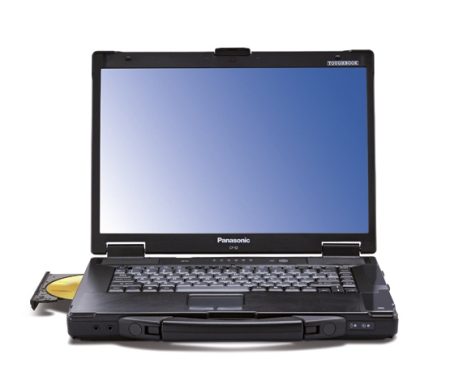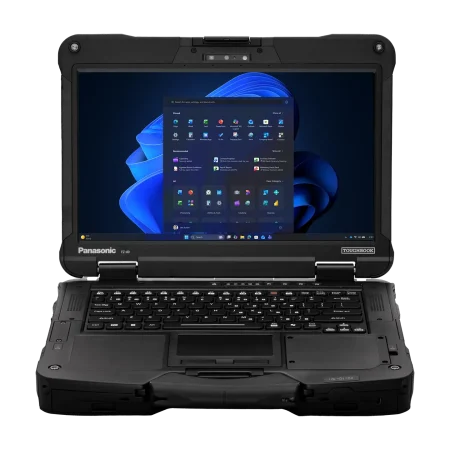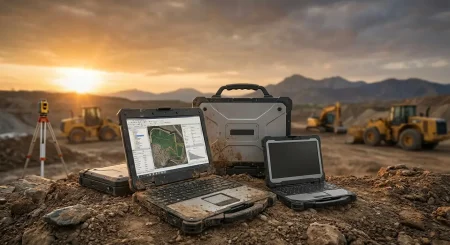
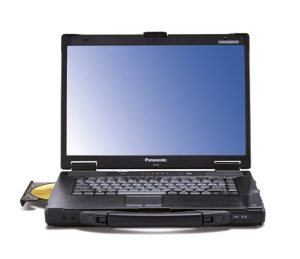



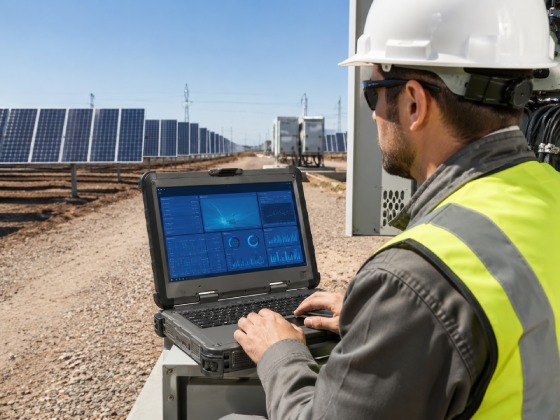
Field teams depend on computers for inspections, reporting, diagnostics, dispatch communication, mapping, and equipment management. When a device fails, the problem extends beyond the cost of repairing or replacing it. Work may stop, reports may be delayed, and employees may lose access to essential systems. A Panasonic toughbook is designed for demanding work settings where an ordinary laptop may struggle with drops, vibration, dust, moisture, or changing temperatures.
Field Conditions Create Risks for Standard Laptops
Consumer laptops are generally designed for homes, offices, classrooms, and other controlled spaces. Field employees often work under very different conditions. A laptop may be carried between vehicles, placed on concrete surfaces, exposed to airborne dust, or used near machinery that produces constant vibration.
Even routine handling can cause problems over time. Hinges may loosen, ports may become damaged, and internal parts may suffer from repeated movement. A single fall from a vehicle seat or workbench can also damage a standard screen, storage drive, or outer casing.
Rugged laptops address these risks through reinforced housings, protected ports, stronger hinges, shock-resistant storage, and other physical safeguards. The exact protection varies by model, so buyers should examine the specifications rather than assuming every rugged computer provides the same level of resistance.
Testing Standards Provide Useful Buying Information
Many rugged computers are tested against sections of MIL-STD-810H, a military testing standard that covers environmental conditions such as shock, vibration, temperature, and humidity. Some models also carry an ingress protection rating, commonly called an IP rating, that indicates resistance to dust and water.
These ratings help purchasing teams compare devices, but they must be read carefully. A computer may be tested against selected MIL-STD procedures rather than every test included in the standard. Likewise, IP ratings contain two digits: one relates to solid-particle protection, while the other relates to water resistance.
Before selecting a model, buyers should identify the actual hazards employees face. A laptop used inside a service vehicle has different requirements from one regularly carried through rain, dirt, and active construction areas.
Outdoor Screen Visibility Matters
A computer can remain operational and still be difficult to use. Standard laptop displays may become hard to read under direct sunlight, forcing employees to move into shade, enter a vehicle, or increase screen brightness substantially.
Field-oriented models may offer brighter displays, anti-reflective treatments, touchscreen controls, and support for gloved operation. These features can help workers review diagrams, complete forms, capture signatures, and enter data without leaving the job area.
Screen selection should reflect the normal working environment. Brightness is especially important for outdoor inspections, public safety duties, utility maintenance, and construction supervision. Touch controls may be more useful for employees who spend much of the day standing or moving between locations.
Battery Design Can Prevent Work Interruptions
Field employees may not have reliable access to power outlets. Long shifts, remote locations, and vehicle-based work can quickly expose the battery limitations of an ordinary computer.
Depending on the model and configuration, rugged laptops may support larger batteries, replaceable batteries, or hot-swappable battery systems. Hot swapping allows a worker to replace one battery without shutting down the computer when another power source remains active.
Purchasing teams should compare expected battery life with real working patterns. Screen brightness, wireless connections, software use, temperature, and connected equipment can all affect operating time. Spare batteries, vehicle docks, and charging stations may be necessary for teams working extended shifts.
Connectivity Must Match the Work
Durability alone does not make a laptop suitable for field deployment. The computer must also connect with the equipment, networks, and accessories used by the organization.
Technicians may require serial ports, Ethernet connections, USB ports, dedicated expansion options, or vehicle docks. Public safety teams may need reliable mobile broadband and GPS access. Warehouse or logistics employees may connect barcode scanners, printers, or diagnostic devices.
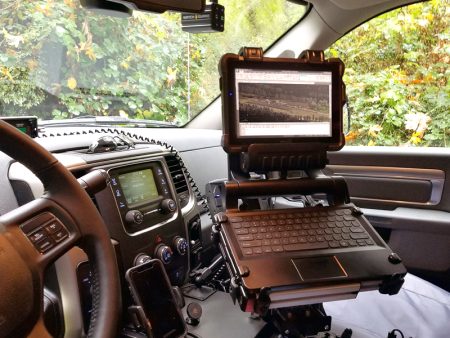
Checking these requirements before purchase can prevent costly adapter use or compatibility issues. Buyers should also consider whether the device will be mounted inside a vehicle, carried by hand, or moved between both settings.
Select the Right Level of Ruggedness
A fully rugged laptop is not necessary for every employee. Semi-rugged models may suit mobile professionals who mainly work inside vehicles or buildings but still need better drop and vibration resistance than a consumer computer provides. Fully rugged systems are generally better suited to harsher conditions with regular exposure to dust, water, impact, and outdoor weather.
The right decision should account for working conditions, software requirements, processor needs, memory, storage, screen size, ports, battery configuration, and budget. New and professionally refurbished devices may both be worth considering, depending on the required specifications and deployment size.
Choosing equipment according to real working conditions can reduce device failures, limit interruptions, and give employees dependable access to their tools. Organizations comparing models, configurations, and purchasing options can visit Tough Rugged Laptops to explore rugged computers suited to field, vehicle, industrial, and public-sector work.
Approximate article word count: 805 words.
The technical framing is consistent with Panasonic’s official guidance on TOUGHBOOK durability testing and IP-rated protection and the seller’s stated range of new and refurbished rugged computers.
content structure should be with sub headings and bullet points
How Rugged Laptops Help Field Teams Reduce Equipment Downtime
Field teams rely on mobile computers for inspections, diagnostics, mapping, reporting, dispatch communication, and equipment management. When a device fails, employees may lose access to the software and information required to complete their work. A Panasonic toughbook is built for demanding environments where ordinary laptops may be damaged by drops, vibration, dust, moisture, or changing temperatures.
Why Standard Laptops Struggle in Field Environments
Consumer laptops are primarily made for controlled settings such as homes, offices, and classrooms. Field employees may use their computers in vehicles, warehouses, construction areas, utility sites, workshops, and outdoor locations.
Common risks include:
- Accidental drops from workbenches or vehicle seats
- Continuous vibration inside service vehicles
- Dust entering exposed ports and ventilation areas
- Light rain, spills, and moisture
- Very hot or cold working conditions
- Frequent transportation between job locations
- Repeated connection and removal of accessories
These conditions can damage screens, hinges, ports, keyboards, storage drives, and internal components. Even minor damage may prevent an employee from completing reports, accessing diagrams, or communicating with the office.
Rugged laptops reduce these risks through stronger housings, protected ports, reinforced hinges, shock-resistant storage, and internal protection. However, protection levels differ between models, so buyers should always review the listed specifications.
How Ruggedness Standards Help Buyers Compare Devices
Many rugged computers are tested against selected procedures from MIL-STD-810H. This military testing standard covers several environmental and physical conditions that may affect electronic equipment.
Depending on the model, testing may cover:
- Drops and physical shocks
- Continuous mechanical vibration
- High and low temperatures
- Sudden temperature changes
- Humidity and moisture
- Exposure to dust
- Operation at different altitudes
Some computers also carry an ingress protection rating, commonly known as an IP rating. The first digit represents protection against solid particles, while the second represents protection against water.
Buyers should not assume that every model carrying a military testing reference has passed the same procedures. The reported drop height, testing method, and IP rating should be checked against the actual working environment.
Outdoor Display Features Support Field Productivity
A laptop can remain functional but still be difficult to use outdoors. Standard displays often become hard to read in direct sunlight. Employees may have to return to a vehicle, search for shade, or increase screen brightness, which can consume more battery power.
Useful display features for field workers include:
- High-brightness screens
- Anti-reflective display treatments
- Touchscreen operation
- Glove-compatible touch controls
- Stylus support
- Adjustable viewing modes
These features can help employees review diagrams, enter inspection details, collect signatures, and read dispatch instructions without leaving the work area.
Display requirements should reflect the employee’s daily tasks. Outdoor inspectors and construction supervisors may prioritize sunlight readability, while technicians may need precise touch or stylus controls for diagrams and forms.
Battery Options Can Reduce Work Interruptions
Field employees may spend an entire shift away from a dependable electrical outlet. Standard laptop batteries may not provide enough operating time, particularly when the computer runs demanding software, mobile connections, or a high-brightness display.
Rugged laptop battery options may include:
- Higher-capacity batteries
- Removable battery packs
- Dual-battery configurations
- Hot-swappable battery systems
- Vehicle charging docks
- External battery chargers
A hot-swappable system allows an employee to replace one battery while the computer continues operating from another power source. This can prevent shutdowns during inspections, emergency response, or diagnostic work.
Actual battery life depends on screen brightness, software activity, wireless use, temperature, and connected accessories. Purchasing teams should base battery requirements on real shift lengths rather than manufacturer estimates alone.
Ports and Connectivity Must Match the Job
Physical durability is only one part of selecting a field computer. The device must connect with the organization’s existing equipment, networks, and accessories.
Before purchasing, buyers should identify requirements for:
- USB and USB-C devices
- Ethernet connections
- Serial ports
- Mobile broadband
- Wi-Fi and Bluetooth
- GPS services
- Barcode scanners
- Diagnostic equipment
- External monitors
- Vehicle docks and mounting systems
Technicians working with older industrial equipment may still require serial connections. Public safety teams may depend on mobile broadband and GPS, while warehouse employees may need connections for scanners, printers, and inventory equipment.
Checking compatibility before purchase can reduce adapter use and prevent deployment delays.
Fully Rugged vs. Semi-Rugged Laptops
Not every employee requires the highest available level of physical protection. The right category depends on where and how the computer will be used.
Semi-Rugged Laptops
Semi-rugged models may suit employees who:
- Work mainly inside vehicles or buildings
- Need added protection against drops and vibration
- Occasionally use the computer outdoors
- Want a balance between portability and protection
- Do not face regular exposure to heavy rain or dust
Fully Rugged Laptops
Fully rugged models may be more suitable for employees who:
- Work outdoors for long periods
- Operate in dusty or wet locations
- Frequently carry devices across active jobsites
- Use computers near machinery or moving equipment
- Need stronger protection against drops and impact
Choosing more protection than the job requires can increase purchase costs and device weight. Choosing too little may lead to repeated repairs, replacements, and lost working time.
What to Check Before Buying
A clear purchasing checklist can help organizations match devices to their employees and working conditions.
Consider the following:
- Required ruggedness level
- MIL-STD testing details
- Dust and water resistance
- Display brightness
- Processor and memory requirements
- Storage capacity
- Battery configuration
- Required ports
- Wireless connectivity
- Vehicle mounting needs
- Software compatibility
- Repair and support options
- New or professionally refurbished condition
Selecting a device based on actual field requirements can reduce equipment failures and give employees reliable access to their work systems. Organizations comparing models, specifications, and configurations can visit Tough Rugged Laptops to find rugged computers for field service, industrial, vehicle-based, and public-sector applications.