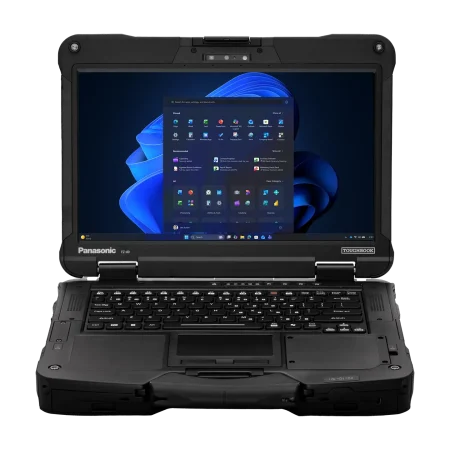



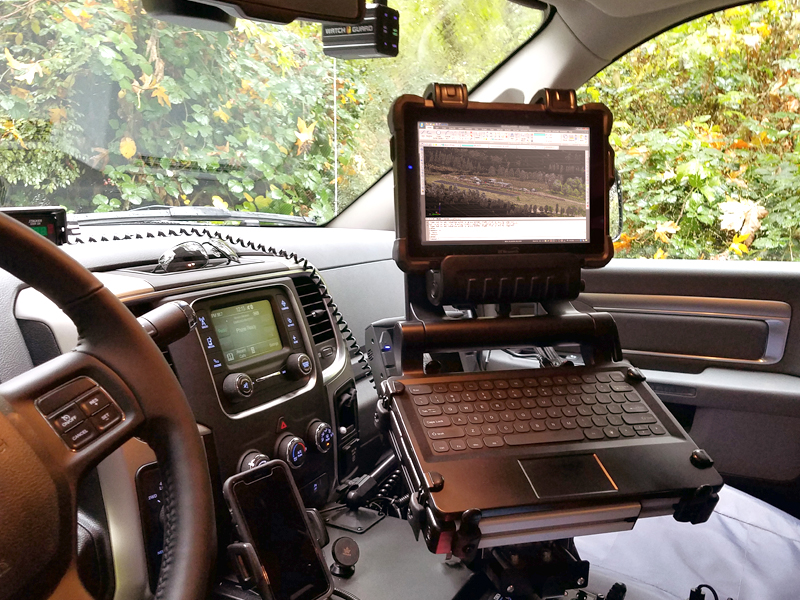
Field employees often need one computer to perform several jobs. It may serve as a mounted terminal during travel, a tablet during inspections, and a laptop when reports require extended typing. The Panasonic cf33 addresses this mixed workflow with a fully rugged, detachable 2-in-1 design. Its screen separates from the keyboard to provide tablet mobility, then reconnects when users need physical keys, added connections, or a conventional laptop position.
Why Does the Detachable Format Matter?
Carrying separate tablets and laptops creates extra equipment for employees and more devices for IT departments to manage. Information may also need to be transferred between systems, creating delays or version-control problems. A detachable computer allows the same operating system, applications, files, and security settings to follow the worker across different tasks.
In laptop mode, the CF-33 supports report writing, dispatch work, diagnostics, and other activities that benefit from a keyboard. Detaching the display makes it easier to photograph evidence, complete inspections, collect signatures, review maps, or enter readings while standing. The format can be especially valuable when workers repeatedly move between a vehicle and a job site.
Buyers should remember that the keyboard is not identical across every package. Some units are sold as tablets, while others include a premium keyboard, a lighter keyboard, or another docking arrangement. The exact configuration should be confirmed before ordering.
How Is It Prepared for Field Conditions?
The CF-33 is classed as a fully rugged device. Current configurations feature a 12-inch QHD display rated at 1,200 nits, with multi-touch and digitizer input. High screen brightness helps users read maps, forms, and instructions outdoors, while touch and pen input support jobs where a mouse is impractical.
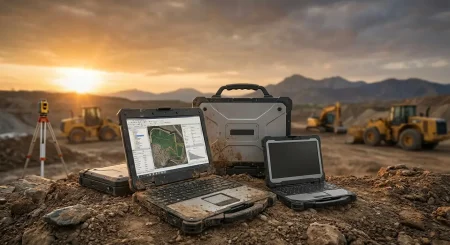
Rugged construction is valuable in environments involving vibration, dust, moisture, drops, and frequent transport. Even so, protection depends on correct handling. Port covers must be closed, accessories should be securely attached, and damaged seals should be replaced. A rugged rating does not remove the need for routine inspection.
The dual-battery arrangement also suits mobile work. Batteries can be changed without shutting down the device when the correct procedure and compatible batteries are used. This allows teams to carry charged spares and continue working through long shifts. Runtime varies with battery size, screen brightness, wireless connections, software demand, temperature, and battery condition.
What Roles Can Benefit From a Rugged 2-in-1?
The CF-33 is suited to employees who need tablet mobility without giving up laptop functions. Common applications include:
- Police, fire, emergency, and public safety work
- Utility inspections and infrastructure maintenance
- Construction reporting and site documentation
- Fleet maintenance and vehicle diagnostics
- Warehouse and manufacturing operations
- Field service, insurance, and asset inspections
For a police officer, the device can remain docked for dispatch and reporting, then detach for incident documentation. A utility worker can view drawings in the vehicle and carry the tablet to record equipment conditions. A service technician can run diagnostics with the keyboard attached and remove the screen when checking components in a confined space.
Not every team needs this level of protection. Employees who work mainly in offices may be better served by a lighter business computer. Teams operating in demanding environments should compare the CF-33’s documented ratings with actual exposure to drops, water, dust, vibration, and temperature changes.
What Should Organizations Check Before Buying?
Start with the full model or part number. The CF-33 has been released in multiple generations and configurations, so processor, memory, storage, operating system, wireless hardware, ports, and included accessories can differ. Confirm that the selected unit meets the requirements of every essential application.
Next, examine how the computer will be used in vehicles. Check compatibility with docks, mounting arms, antenna pass-through connections, chargers, and locking systems. A physical fit does not always guarantee that every port or antenna function will work.
For refurbished units, inspect battery health, touchscreen accuracy, display condition, port covers, cameras, keyboard latches, hinges, charging sockets, and storage health. Confirm whether the operating system still receives the security support required by the organization. Buyers should also review warranty coverage, repair arrangements, and the availability of replacement batteries and accessories.
Match the Configuration to the Workflow
The strongest reason to choose a CF-33 is not simply its rugged label. Its real value comes from supporting several working modes with one computer. Organizations can judge that value by observing how employees collect information, travel, type reports, connect equipment, and work away from power.
To compare CF-33 tablets, keyboard packages, docks, accessories, and refurbished options, visit Tough Rugged Laptops. Browse the available configurations or contact the company to find a rugged computer suited to your applications, mounting setup, and field conditions.